
#1 PDF Chat AI
Q's answered every day
Gen AI apps of 2024

PDF Summary
Fast and easy PDF summarization, understand anything in seconds with no sign-up!
Our AI PDF Summarizer offers clear PDF summaries, even for scanned PDFs.
Summarize any  file, video or
  website








Fast and Simple AI PDF Summaries
Convert entire PDFs, chapters, or documents into brief, easy-to-read notes with just a few clicks—perfect for students, researchers, and professionals.

Pages referenced
Instantly jump to the referenced spot with a single click.


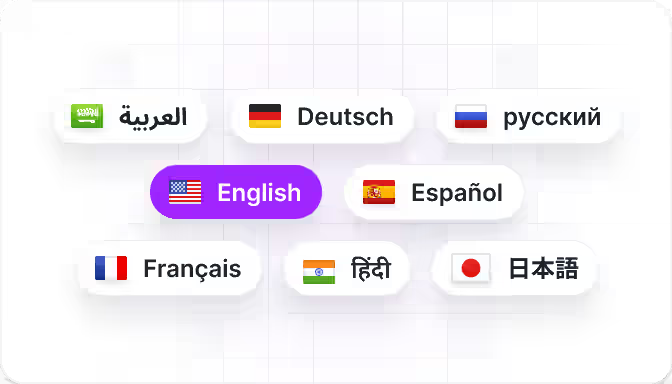
Any Language
Summarize PDFs in any language. Chat in any language.
How to summarize a PDF
Simple drag or select a file for upload.
Press the summarize button.
Enjoy your summary.
Summarize any file, video or website
Frequently Asked Questions
What is the AI PDF Summary feature?

It's a tool that quickly converts your PDF into a concise summary. No account is required to use the PDF summarizer. Our artificial intelligence is trained to understand the content and meaning of your PDF. For every summary, we include references to the page on the original PDF, so you can verify the answers and explore the source material easily.
How do I use the PDF Summarizer?
Simply upload your PDF, click the 'Summarize' button within the chat, and get your summary. Our chat allows you to ask follow-up questions to the summary. The summary will be in the structure of the original PDF.
Which languages are supported?
The tool supports PDFs in all languages, including English, Spanish, Chinese, Hindi, French, German, Italian, Portuguese, Russian, Japanese, Korean, Arabic, and many more.
How long does it take to generate a summary?
The summary is ready within seconds after you click 'Summarize' in the chat. Our PDF Summarizer is optimized for fast response times while still guaranteeing very high reliability. You can chat with the PDF to ask follow-up questions.
What types of PDFs can be summarized?
You can summarize chapters, documents, or entire PDFs regardless of content. It also works with other file formats like Word, and PowerPoint. We support scanned PDFs.
Does the summary include page numbers?
Yes, page numbers are included for easy reference. You can click on a reference to instantly navigate to that part in the PDF. This helps you to verify answers which is important for academic research.
Is this tool free to use?
Yes, the tool is free to use, allowing you to upload up to 2 PDFs daily without registration. It leverages the innovative technology of ChatPDF using artificial intelligence to chat with your PDF.
Can I jump to specific parts in the original PDF?
Yes, you can click on a reference to instantly navigate to that part in the PDF. The AI summary always contains references to the original PDF.
Is my data secure?
Absolutely. Privacy and security are very important to us. Your PDFs are processed securely.
Do I need an account to generate a PDF summary?
No account is required to use the PDF summarizer. Creating an account offers benefits like saving your chat history over multiple devices.
How accurate is the AI summarization?
The summary is highly accurate, generated from the entire PDF while preserving its original structure—such as chapters—for effortless reading.
Can the summarizer handle large PDFs?
Yes, it works with both small and large PDFs, though larger files might generate longer.
Is there a limit to how many PDFs I can summarize?
There are no strict limits—you can summarize as many PDFs as you need. Every day you can summarize up to 2 PDFs for free.
What PDF formats are supported?
The summarizer works with all PDFs and even other file formats like .doc. We support scanned PDFs.
How do I start summarizing a PDF?
Drag and drop your PDF into the upload field, then press 'Summarize'.
Is this tool useful for academic research?
Yes, it's perfect for students, researchers, and professionals needing quick insights. In fact, most of our users are students and researchers who try to understand research papers fast with our PDF Summary.
How often is the AI updated?
The AI is regularly updated to improve performance and accuracy. We base our updates on your feedback.
Can I use this tool on mobile devices?
Yes, the tool is optimized for both desktop and mobile browsers.